Using the Akamai Partner Referral on Linode
Introduction
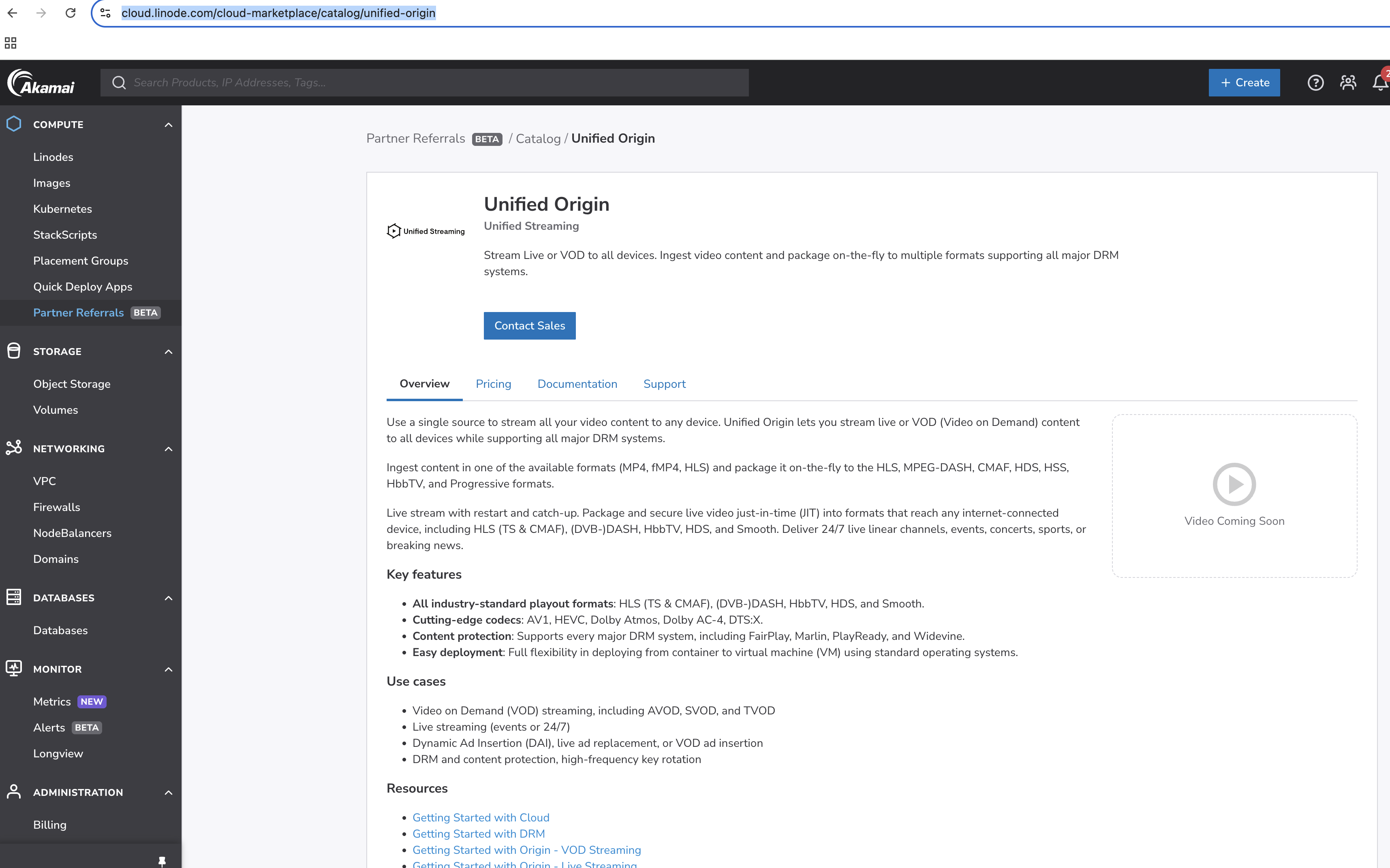
We provide our Unified Origin as a Akmai Partner Referral on the Akamai Linode platform.
With Unified Origin the following uses cases can be setup:
Video on Demand (VOD) streaming, including AVOD, SVOD, and TVOD
Live streaming (events or 24/7)
Dynamic Ad Insertion (DAI), live ad replacement, or VOD ad insertion
DRM and content protection, high-frequency key rotation
Unified Origin is presented as follows:
Installation
It is a referral, not a paid marketplace so Unified software has to be installed following our Installation Instructions on an actual linode instance.
Installation can be done by creating an instance and then manually following the Installation Instructions or alternatively by using a tool called Packer.
An example file (save this as build-linode.json):
{
  "builders":[{
    "type": "linode",
    "linode_token": "YOUR_TOKEN",
    "image": "linode/ubuntu24.04",
    "region": "eu-central",
    "instance_type": "g6-nanode-1",
    "ssh_username": "root",
    "instance_label": "YOUR_IMAGE_NAME",
    "image_label": "YOUR_IMAGE_NAME",
    "state_timeout": "1m"
  }],
  "provisioners":[{
    "type": "file",
    "source": "install.sh",
    "destination": "/tmp/install.sh"
    }, {
    "type": "file",
    "source": "usp-license.key",
    "destination": "/tmp/usp-license.key"
    }, {
    "type": "shell",
    "execute_command":  "chmod +x {{ .Path }}; {{ .Vars }} sudo -E sh '{{ .Path }}'",
    "inline": [
      "sudo apt-get full-upgrade",
      "sudo apt-get update",
      "sudo /tmp/install.sh",
      "sudo rm /home/ubuntu/.ssh/authorized_keys",
      "sudo rm /root/.ssh/authorized_keys"
    ],
    "inline_shebang": "/bin/sh -x"
  }]
}
Note
Replace YOUR_TOKEN with you actual Linode token and replace
YOUR_IMAGE_NAME with the name you have chosen.
The install.sh file which installs Unified Origin can be made using the shell
following the Installation Instructions:
#!/bin/bash

cat << EOF > install.sh
release="noble"
arch="amd64"
repo="stable"

sudo mkdir -m 0755 -p /etc/apt/keyrings
sudo wget -O /etc/apt/keyrings/unifiedstreaming.asc \
  https://${repo}.apt.unified-streaming.com/unifiedstreaming.pub

echo "deb [arch=${arch} signed-by=/etc/apt/keyrings/unifiedstreaming.asc] https://${repo}.apt.unified-streaming.com ${release} multiverse" |\
  sudo tee /etc/apt/sources.list.d/unified-streaming.list

sudo apt-get install mp4split apache2 libapache2-mod-smooth-streaming

echo YOUR_LICENSE_KEY usp-license.key
EOF
Note that the license key is added here as well (replace YOUR_LICENSE_KEY
with your actual license key).
Once you have the install.sh file the actual Packer tool is called as
follows:
#!/bin/bash

packer build build-linode.json
After succesfull conclusion of the packer build a Linode instance will be created you can login to, use, manage from the UI etc.
Once you have the instance up and running you can decide what to do next, for instance: